
Summon at a parking point
Find an unlocked parking P sign and use the displayed Summon vehicle interaction. Use the binding shown by your game rather than copying a controller prompt as a keyboard key.
Camps with a green tent/P marker can provide fast travel, time changes and vehicle summoning. Stations provide fast travel and summoning but do not change the time. A point still needs to be discovered or unlocked before you rely on its travel services.
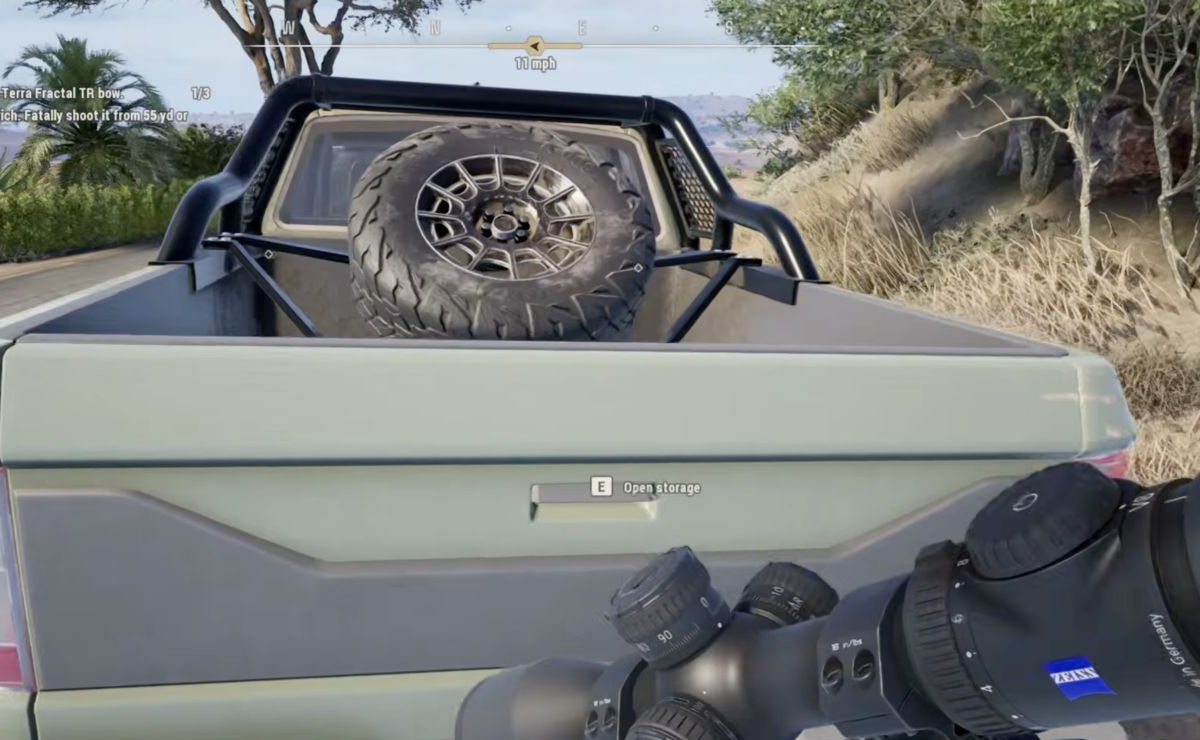
Open the tailgate Storage
Approach the rear tailgate until Open storage appears. The PC example uses E. After interacting, use the normal Storage equipment screen to change your loadout. Rebound keys follow your local prompt.
For ammunition, separate free default supply from paid alternatives: open and check compatible default ammunition, or buy, carry and equip a paid type. Storage access itself is not an automatic purchase of ammunition.
Multiplayer and vehicle problems
For a client unable to interact with a parking sign, try reconnecting to the session. Patch 1.1 fixed one client vehicle-shaking case after leaving a session from inside a vehicle and rejoining; it does not mean every entry or exit problem is resolved.
Vehicle damage remains inconsistent in the 1.3 known-issues list. Running animals over should not be used as a dependable hunting or money method.