
Access Storage without returning to the lodge
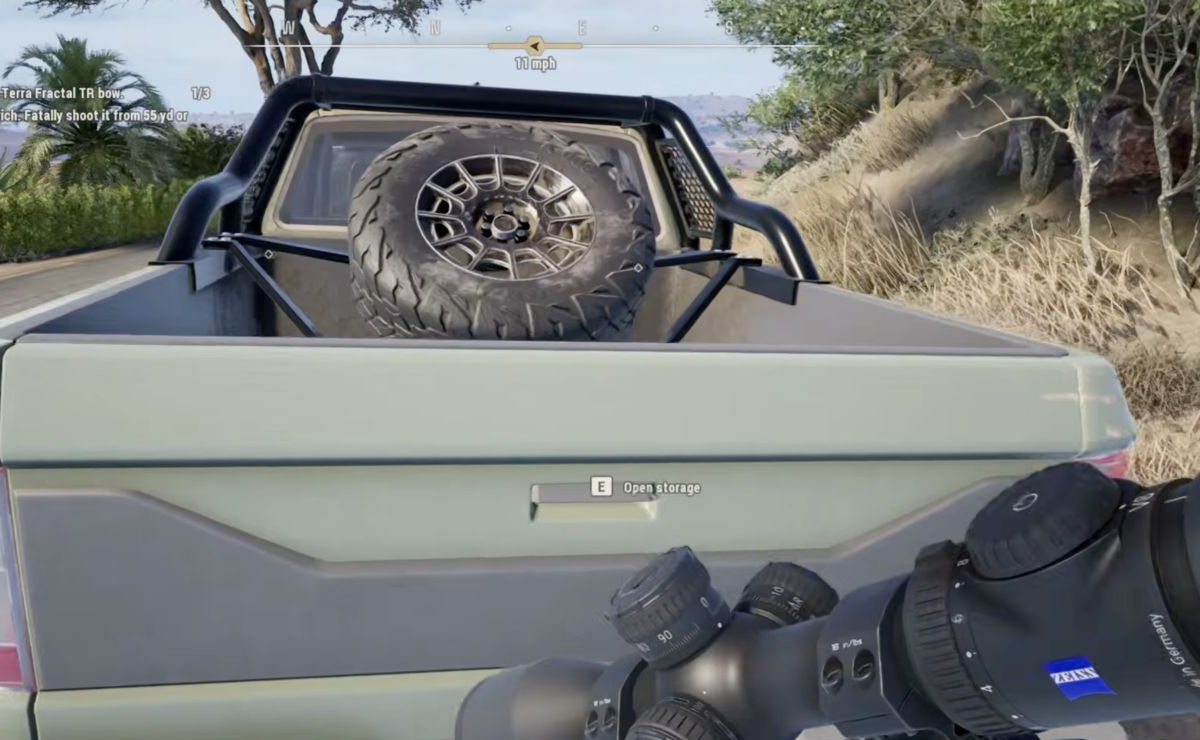
Move to the truck’s tailgate and use Open storage. The PC example shows E; use the on-screen binding if you remapped controls. This opens the equipment Storage interface, where you can change and customize the loadout.
Refill free default ammunition
Default ammunition has a continuing supply in Storage. Open it, select the current weapon and check the compatible default ammunition. Use Auto-fill or Auto-equip as appropriate, then return to the HUD and verify that the weapon has carried ammunition and can be reloaded.
A large Storage count does not prove that ammunition is already carried or equipped to the active gun.
Replace paid alternatives
Buy more in Shop, add it to your carried ammunition slots and equip it to the matching weapon. If you do not want to buy more, switch back to compatible free default ammunition. Auto-fill should not be assumed to purchase paid ammunition automatically.
No backpack carries two ammunition groups, the default backpack four and the large backpack six. Free ammunition still uses carried slots.
If the HUD still says 0/0
Check, in order: the calibre, the carried slots, the active ammunition type and whether it is equipped to the weapon. Leave Storage and verify the HUD again before resuming the hunt.
If it remains empty, record the build, ammunition name, Storage count, carried amount and HUD count. Buying more than 100 rounds is not an established minimum-supply rule, and one player’s successful refill does not guarantee the same fix for every save.